

Use Cases
Detect outdated landing pages for your company
Features
Categories
Overview
Marketers and product teams need to regularly audit public pages to ensure they reflect the latest product capabilities and avoid outdated claims. Tasks in Perplexity lets you run a structured, repeatable audit that cross‑checks live pages against the official changelog and release notes. The process surfaces inconsistencies and suggests concrete, on‑brand updates.
Your search
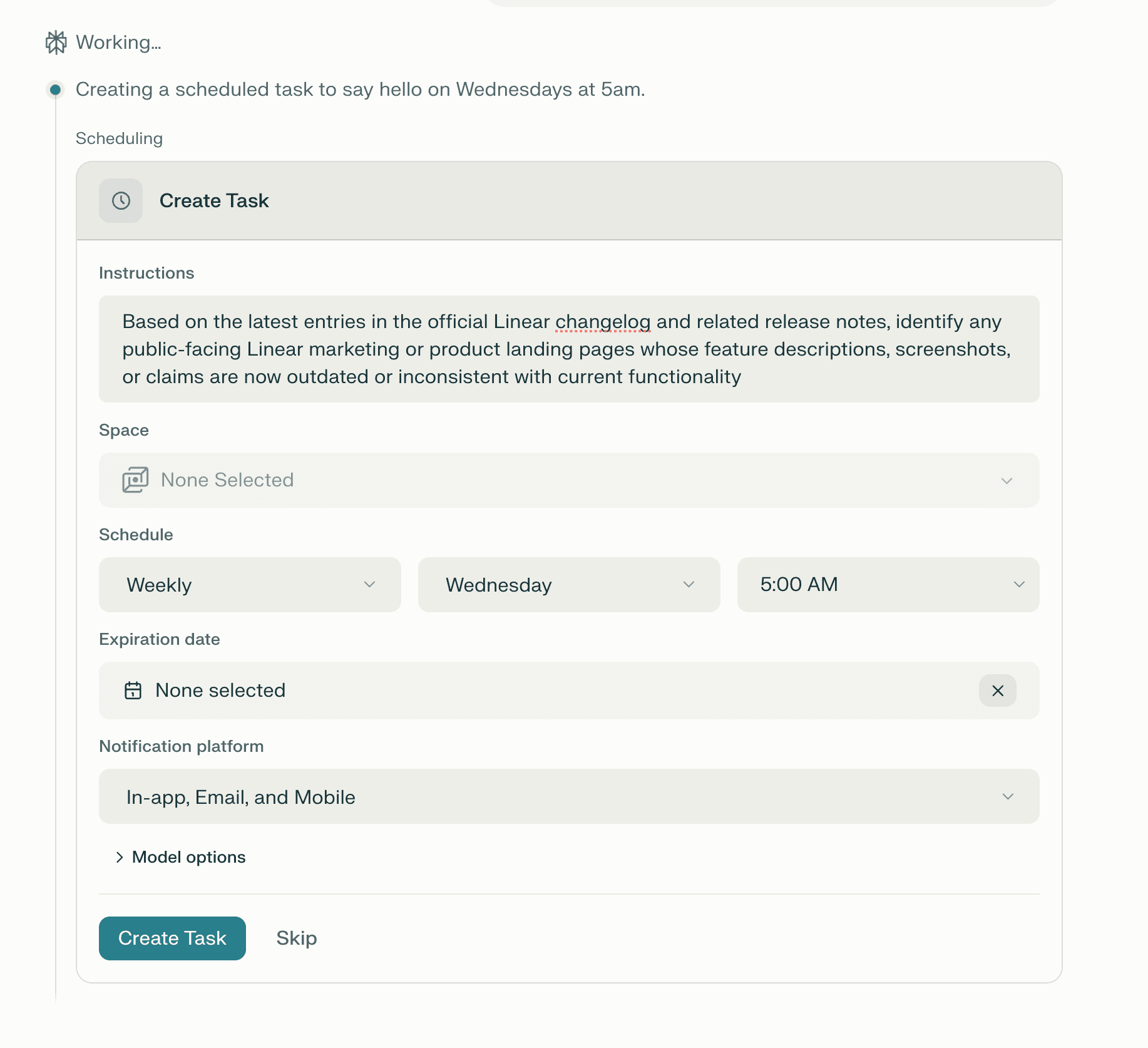
Add ‘create a task’ to your query, or set up a new task in your account settings. Configure the instructions, schedule, and model options for the task, and optionally select a Space to run the task in.
Based on the latest entries in the official Linear changelog and related release notes, identify any public‑facing Linear marketing or product landing pages whose feature descriptions, screenshots, or claims are now outdated or inconsistent with current functionality
Perplexity's answer
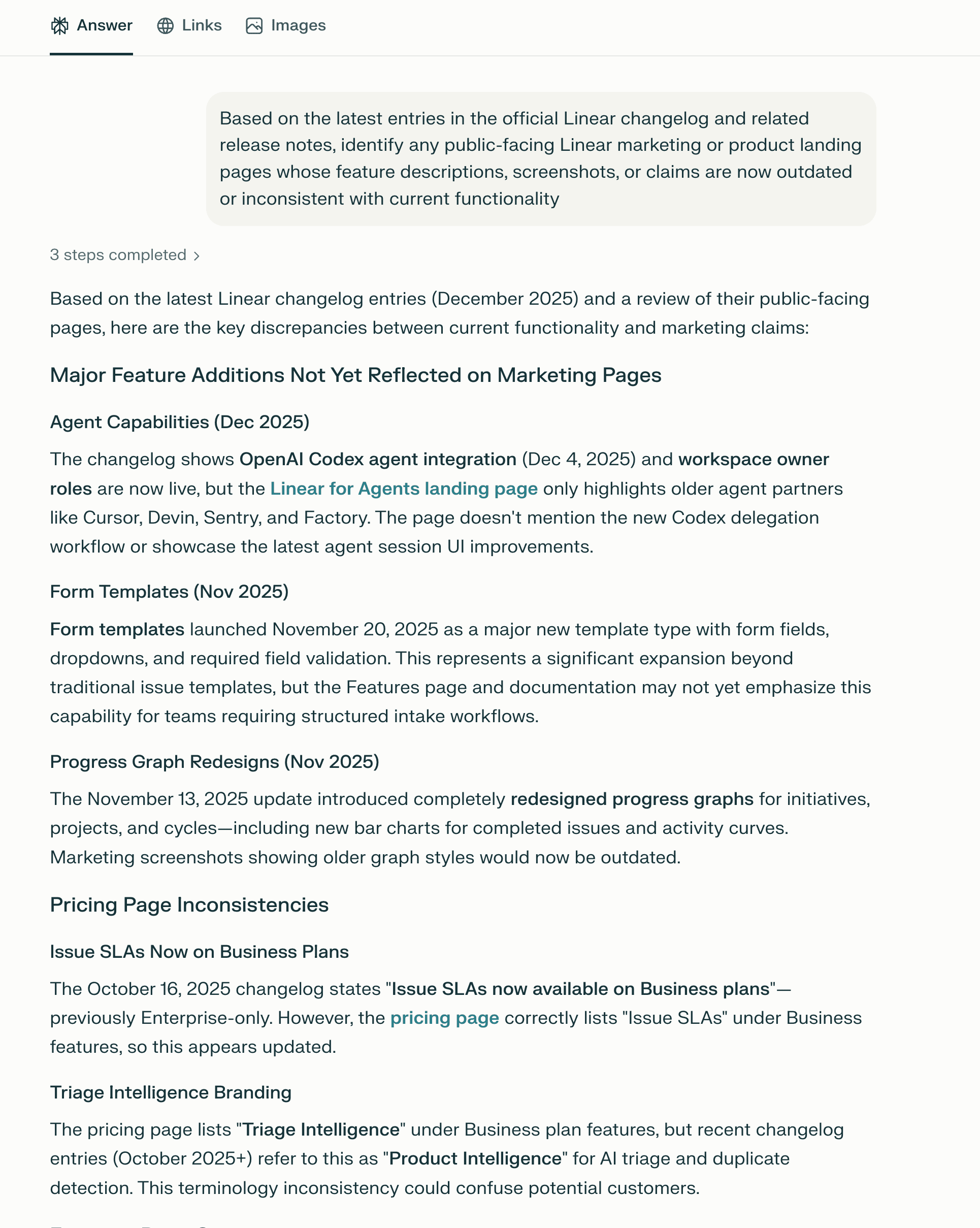
Every week, you can run a detailed, structured audit of your own marketing and product pages, including:
A list of specific URLs that are now inconsistent with current functionality
For each page, a clear explanation of what’s outdated and which changelog or release note supersedes it, with dates
Concrete, actionable revision suggestions for each page that preserve the original positioning and audience while updating the copy, screenshots, and claims to match reality
This is valuable because it turns a manual, error‑prone page‑by‑page review into a single, repeatable task that:
Ensures marketing and product pages stay aligned with the latest product reality, reducing the risk of misleading claims
Provides ready‑to‑use copy and structure for updates, so marketers and PMs can quickly revise pages without deep diving into every changelog entry
Scales across multiple pages and features, making it easy to run periodic “truth‑check” audits as the product evolves
Tips
Use this pattern for any product or feature launch: After a major release, run a Task like: “Audit all public‑facing [Product X] pages against the latest changelog and release notes; list outdated claims and suggest up‑to‑date revisions.”
For ongoing maintenance: Schedule a recurring Task (e.g., monthly) to “Audit all marketing and product pages for [Product Y] against the last 3 months of changelogs and release notes.”
To make it more actionable: Add a follow‑up like: “For each outdated page, draft a short ‘What’s new’ section and a revised headline that preserves the original tone but reflects current functionality.”