

Use Cases
Collect unstructured data
Features
Categories
Overview
Extracting unstructured data can take a lot of time via clicks and copy and pasting. For example, marketing and sales teams need quick access to proof points from customer success stories. Perplexity lets you analyze multiple case studies at once and extract key metrics like ROI improvements, time savings, or adoption rates without manually reviewing each document.
Your search
In the Comet assistant panel, ask Comet to extract specific quantitative or qualitative data across different pages.
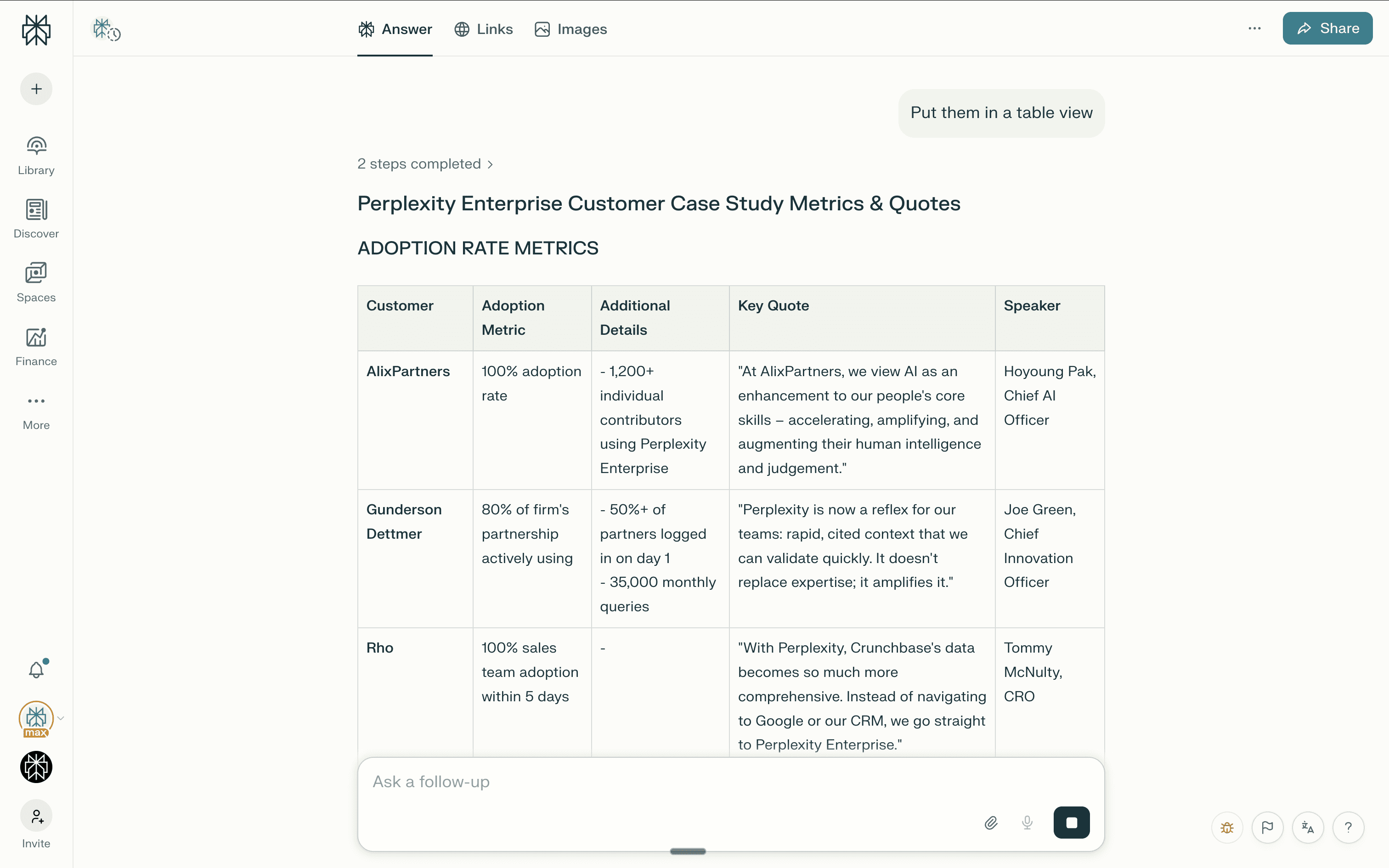
Go through every customer case study and pull out customer quotes and the metrics mentioned in these case studies. Organize the metrics by adoption rate, time saved, and miscellaneous.
Perplexity's answer
Perplexity scans through all your case studies and returns a organized summary of metrics found across customers.
This makes it easy to:
Build a metrics library for sales enablement
Find the strongest proof points for specific use cases to share on calls
Quickly populate presentations or one-pagers
Tips
Be specific about what types of metrics you're looking for: "Find all ROI and time-saving metrics" or "Extract adoption and engagement numbers."
Use this approach for other content analysis tasks like pulling quotes, identifying common pain points, or finding implementation timelines.
Save frequently used queries as templates for your team to run regularly.